



















































































































General News
Inauguration of Trust Bank’s Radisson Blu Dhaka Sub-Branch
14 Oct 2026

Trust Bank introduces Smart IVR, a new way to access personal banking services instantly right from your mobile phone. It’s a Visual IVR, designed to save your time and simplify your experience. Skip the call center queue and manage your banking needs directly — no app download required.
Credit/Debit Card Create New PIN, Change PIN, Recover, Forgotten PIN
Account Enquiry Transaction Enquiry

Transfer Between Trust Bank Accounts
Mobile Recharge, MFS Add Money, Account Statement Request, Card Statement Request

Customer support is the team that assists clients with product setup, technical troubleshooting, and general inquiries
If you call from your registered mobile number, you'll receive an SMS with a secure personalized link. Click the link, log in using your mobile number, and enjoy instant, secure access to your banking services.
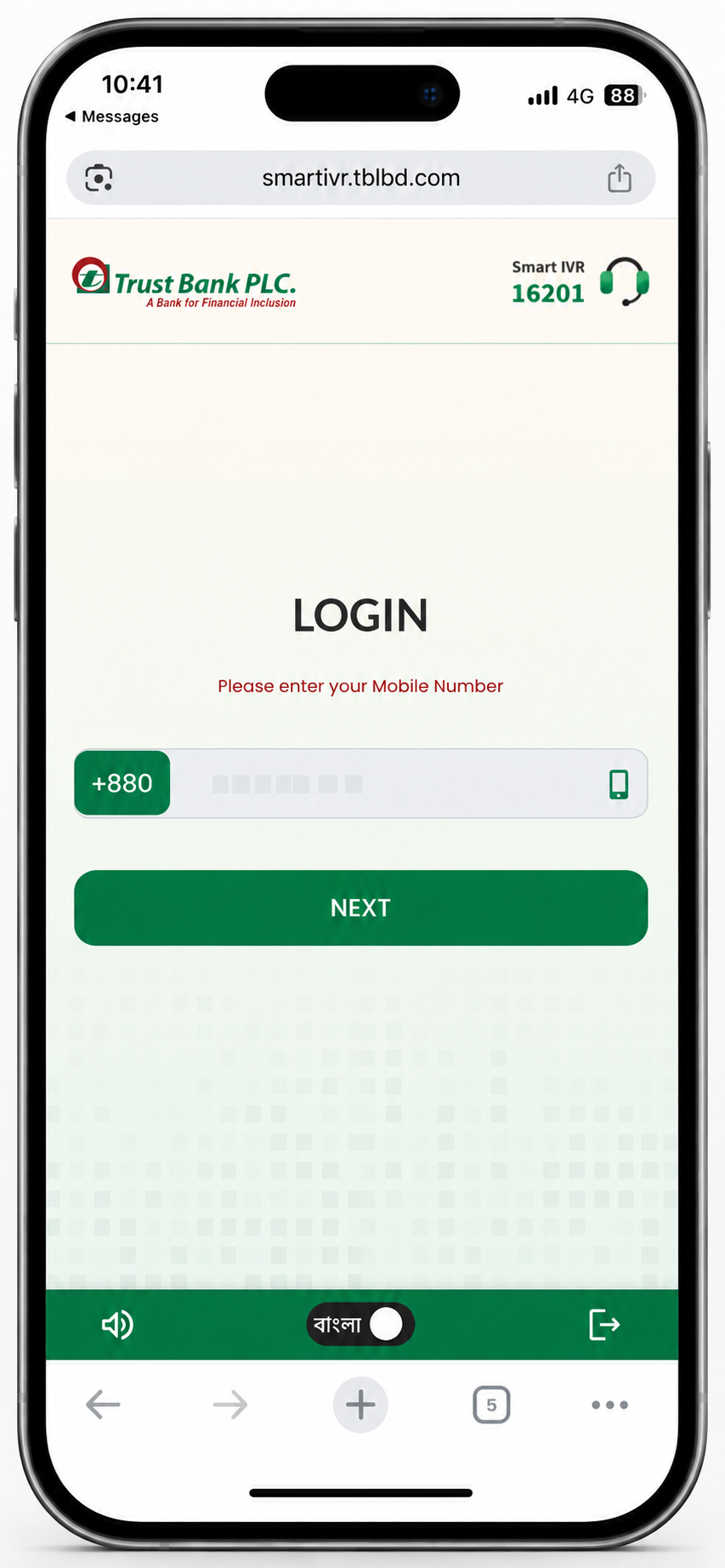
Trust Bank Smart IVR is a Visual Interactive Voice Response (IVR) service that enables you to access selected banking services instantly from your smartphone. It allows you to skip call center waiting times and manage your banking needs through a secure web interface—no app download required.
Follow these simple steps:
No. Smart IVR works through a secure link sent to your registered mobile number via SMS. No app installation is required.
Please call 16201 or 09611016201 using your registered mobile number. The secure Smart IVR link is sent only to your registered mobile number.
Yes. You can create a new PIN, change your existing PIN, or recover a forgotten PIN for your eligible Trust Bank Credit or Debit Card.
Yes. Smart IVR allows you to perform account enquiries and view your recent transactions.
Yes. You can transfer funds between Trust Bank accounts using Smart IVR.
Yes. You can request both Account Statements and Card Statements through Smart IVR.
Yes. A secure, personalized link is sent only to your registered mobile number. You must authenticate using your registered mobile number before accessing the available banking services.
Yes. After calling 16201 or 09611016201, you will receive an SMS with a secure Smart IVR link (when calling from your registered mobile number). To use the service, open the link on your smartphone and ensure that your mobile data or Wi-Fi connection is active. An internet connection is required for Smart IVR to function properly.
Calling 16201 or 09611016201 may be subject to your mobile operator's applicable call charges. There is no charge for receiving the SMS containing the secure Smart IVR link. However, standard mobile data charges will apply when you access Smart IVR through your internet connection.
No. Smart IVR is available only when you call from your registered mobile number. For security reasons, the service cannot be accessed using an unregistered mobile number.
To register or update your mobile number, please visit your nearest Trust Bank Branch and request an update to your mobile number in the bank's records. Once your mobile number has been updated, you can access Smart IVR using that registered number.
If you do not receive the SMS: